Run Flint on a GPU: From Download to Your First Coding Agent
October 21, 2026
Flint is an open-weight coding model you can run on hardware you control. Comparing rental options? Start with weightroom GPU Workspaces. This guide needs a Docker-capable GPU host and Flint's special runtime—not the current preinstalled weightroom vLLM template. Check that requirement before paying for a machine.
1. Choose the right setup
Recursive's model card describes roughly 40 billion total parameters, with 2.5 billion active per token. Active parameters are not the memory requirement. This recipe uses the quantized NVFP4 checkpoint, not the approximately 80 GB BF16 download.
You need Linux, Docker with NVIDIA Container Toolkit, and a CUDA 13-compatible driver. vLLM's launch-day recipe reports results on a GB200; its optimized kernels target one Blackwell GPU. That is not evidence that every 24 GB rental works. Allow disk space for the model, container image, and caches.
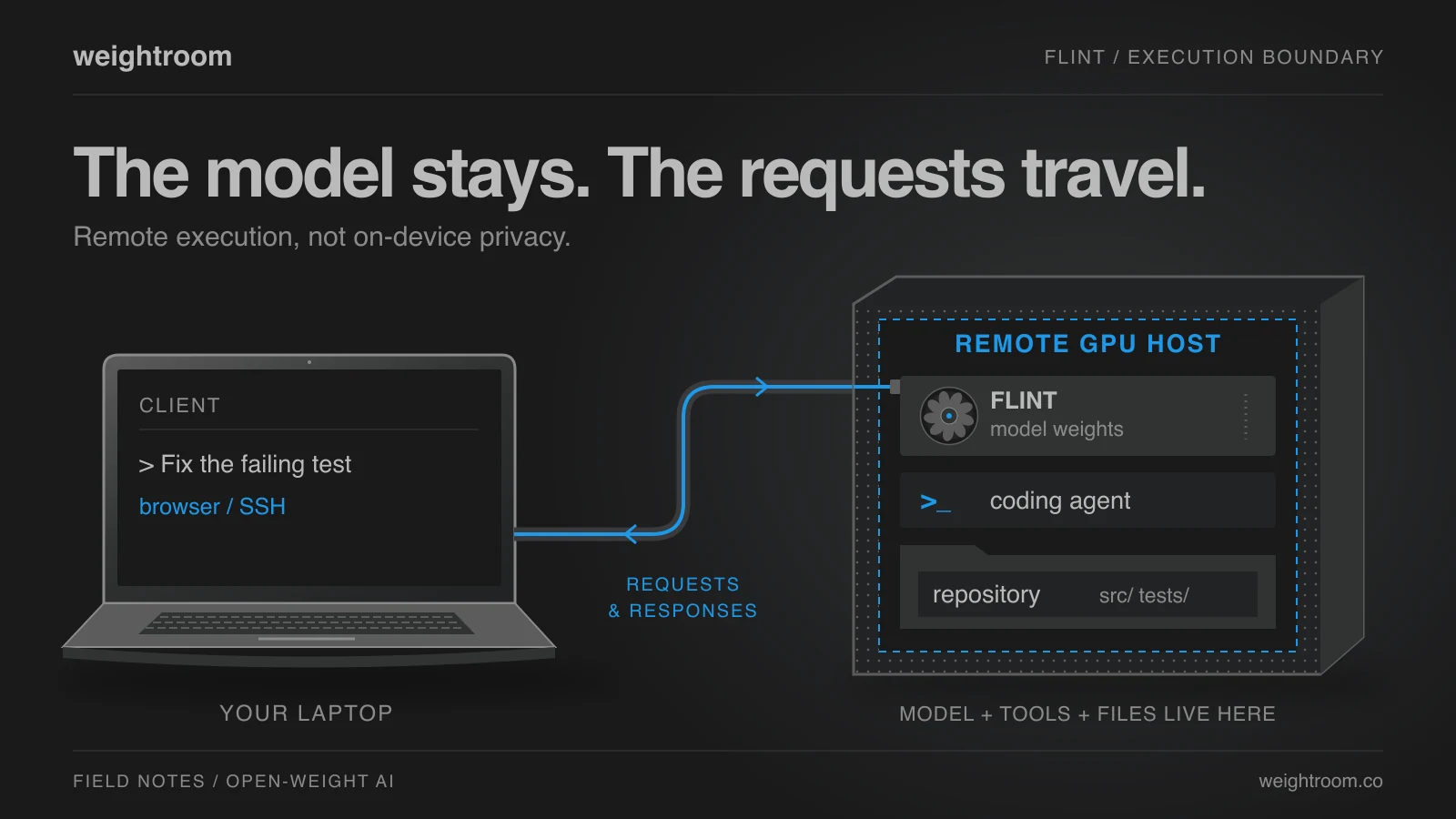
The commands below run on the GPU host. A rented server is remote computing, not code that stays on your laptop. This is an upstream-based setup guide, not a weightroom GPU benchmark.
2. Start Flint
Use the published Flint image, with the API bound to localhost. The first launch downloads the checkpoint into the mounted cache.
mkdir -p "$HOME/.cache/huggingface"
docker run -d --name flint --gpus all --ipc=host \
  -p 127.0.0.1:8000:8000 \
  -v "$HOME/.cache/huggingface:/root/.cache/huggingface" \
  vllm/vllm-openai:flint \
  RecursiveSI/flint-nvfp4-gguf \
  --hf-config-path RecursiveSI/flint \
  --tokenizer RecursiveSI/flint \
  --served-model-name flint --max-model-len 65536 \
  --enable-auto-tool-choice --tool-call-parser glm47 \
  --reasoning-parser glm47 --exclude-tools-when-tool-choice-none
Follow startup with docker logs -f flint. Once ready, open another terminal on that host and check discovery:
curl --fail-with-body http://127.0.0.1:8000/v1/models
Look for model ID flint. Keep the parser flags: a text response alone doesn't prove an agent can use tools. Don't change the port binding to expose this unauthenticated server publicly.
3. Connect a coding agent
Install OpenCode V2 on the same host. In a new, disposable project directory, save this as opencode.json using its custom-provider configuration:
{
  "$schema": "https://opencode.ai/config.json",
  "model": "flint/flint",
  "share": "disabled",
  "agents": {
    "title": { "model": "flint/flint" },
    "summary": { "model": "flint/flint" },
    "compaction": { "model": "flint/flint" }
  },
  "permissions": [
    { "action": "shell", "resource": "*", "effect": "ask" }
  ],
  "providers": {
    "flint": {
      "package": "@opencode/ai/providers/openai-compatible",
      "settings": { "baseURL": "http://127.0.0.1:8000/v1" },
      "compatibility": { "reasoningField": "reasoning_content" },
      "body": { "temperature": 1.0, "top_p": 0.95, "top_k": 20 },
      "models": {
        "flint": {
          "name": "Flint",
          "capabilities": { "tools": true, "reasoning": { "supported": true } },
          "limit": { "context": 65536, "output": 32768 }
        }
      }
    }
  }
}
These limits match the server's context and leave room for reasoning. Run opencode from that directory. Keep command approvals enabled and credentials out of the project.
Try this:
Write a Python function that merges overlapping intervals. Add unittest cases for empty input, touching intervals, and unsorted input. Run the tests and show me the diff. Do not install packages or use the network.
Watch it read or write a file, execute the tests, and use the tool result in its reply. Inspect the actual files and test output—not just its claim that everything passed. If tool calls appear as raw text or fail, stop and check the server parsers before handing it a real repository.
4. Finish the session
Export anything worth keeping, then run docker stop flint. Stopping the container does not stop the GPU rental: stop or destroy the machine through its provider or workspace controls. Retained storage may still cost money.
Review GPU Workspace options for your next experiment; confirm the required hardware and runtime first. No performance number is worth a surprise bill.
Explore GPU Workspaces.
Choose a pre-configured environment for development, training, or inference.